Android 11 1080p Smart Projector Setup & Streaming Tips
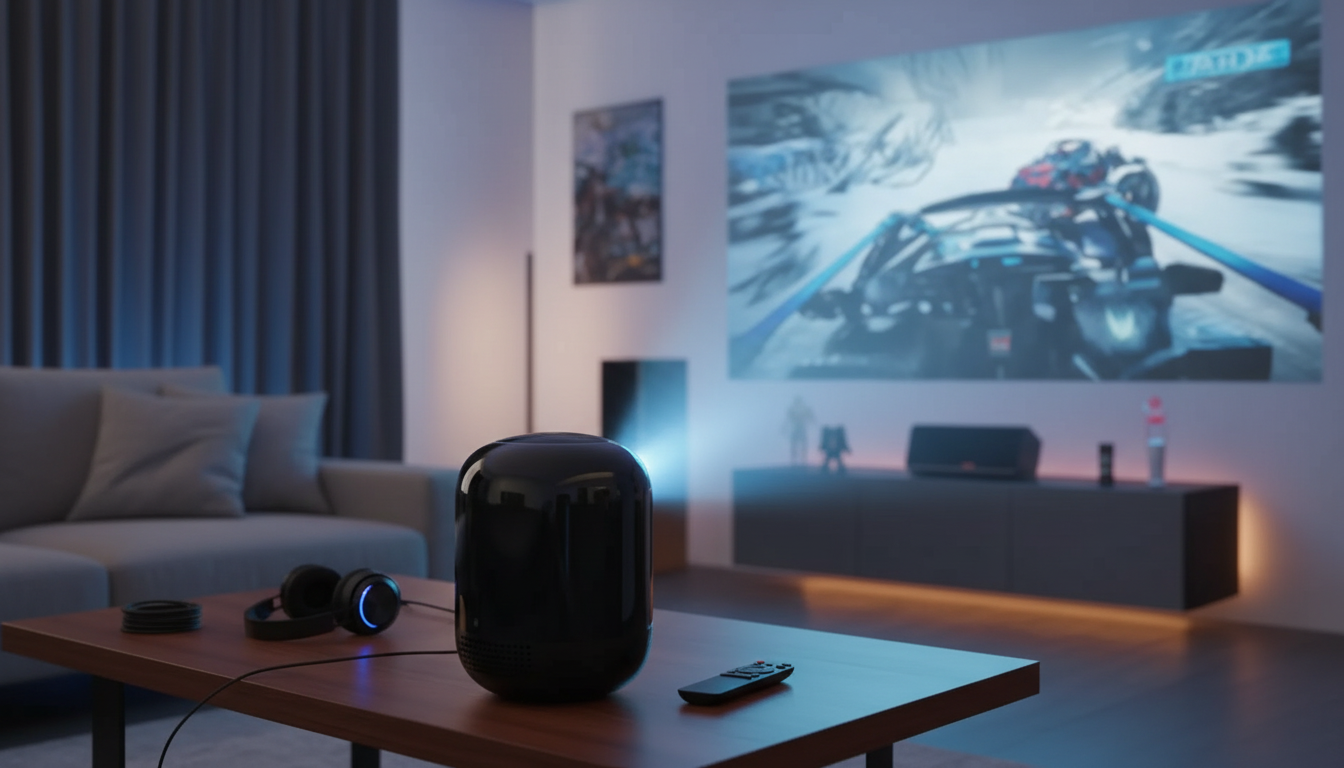
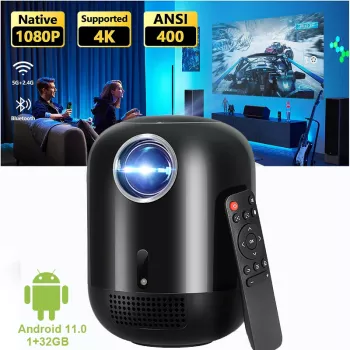
5G Wifi Android 11 Smart Full HD 1080P LED Projector: Setup, Streaming, and Home Cinema Tips
A smart LED projector can stand in for a TV on movie nights, casual gaming sessions, and big-screen streaming—especially when the basics are dialed in. With Android built in, Full HD 1080P resolution, and dual-band Wi‑Fi, a modern projector can be a simple, cable-light home cinema solution. The key is getting placement, focus, connectivity, and audio set up the right way from day one.
What makes a smart Full HD LED projector different
Compared with older “dumb” projectors, a smart Full HD LED model is designed to be a self-contained entertainment hub—closer to a TV experience, but on a much larger screen.
- Built-in Android system: Stream using apps directly on the projector without needing an external stick (app availability can vary by region and store). For general guidance on Android TV-style app behavior and troubleshooting, see the Android TV Help Center.
- Full HD 1080P detail: When your source is also 1080p, text looks cleaner and fine details (subtitles, UI menus, facial detail) hold up better than 720p.
- Dual-band Wi‑Fi (2.4 GHz + 5 GHz): 5 GHz often has less congestion in busy homes and can stabilize streaming at short range. Background on Wi‑Fi 5/802.11ac capabilities is available from the Wi‑Fi Alliance.
- LED light engine advantages: LED projectors typically aim for long service life and consistent color without lamp swaps, making them easier to live with day to day.
Quick start: placement, focus, and first power-on
The fastest route to a sharp, “expensive-looking” picture is good geometry. Start with physical alignment first, then use digital corrections only when needed.
- Placement: Begin centered to the screen/wall and as level as possible to reduce keystone dependence.
- Distance and image size: Adjust throw distance until the image fits your screen area without cropping; then fine-tune focus.
- Focus first, keystone second: Focus the lens for maximum sharpness, then apply keystone only as needed to square the image.
- Ambient light: Dim the room or use blackout curtains to improve contrast and perceived brightness.
- Wall vs. screen: A matte white screen improves uniformity and perceived contrast compared with textured walls.
| Step | Goal | Tip |
|---|---|---|
| Level the projector | Square geometry | Use a small bubble level or a phone level app on the projector body |
| Set throw distance | Desired screen size | Move the projector rather than relying on digital zoom when possible |
| Adjust focus | Text and edges crisp | Use a menu screen with small text to confirm sharpness corner-to-corner |
| Tweak keystone | Straight edges | Use minimal correction to avoid softening |
| Confirm ventilation | Stable performance | Keep vents clear and leave space around the chassis |
Connecting to Wi‑Fi and signing into Android apps
Stable network performance is the difference between “instant movie night” and constant buffering. A few small decisions make a big impact.
- Pick the right band: Choose 5 GHz when the router is nearby and signal is strong; use 2.4 GHz when the projector is farther away or through multiple walls.
- Update early: After first setup, update the system and apps to improve compatibility and stability (and reduce odd playback bugs).
- Improve signal quality: If possible, keep the router in the same room or reduce obstacles. Avoid placing the projector behind large metal objects or inside cabinets.
- Isolate the issue: If buffering occurs, test with a wired source (HDMI) to separate network problems from projector settings.
Casting, screen mirroring, and playing from external devices
There are two reliable “lanes” for playback: wireless convenience and wired certainty. Knowing when to use each keeps setup frustration low.
- Casting basics: Wireless casting works best when the phone and projector are on the same Wi‑Fi network. If a cast connection fails, disable VPN and try again.
- App restrictions are real: Some streaming apps restrict mirroring due to content protection. If mirroring produces a black screen, use the app directly on Android or connect via HDMI.
- HDMI for consistency: HDMI is the most reliable option for laptops, game consoles, and set-top boxes—ideal for low-latency gaming and predictable picture quality. (For technical background, see the HDMI Specification Overview.)
- USB for offline playback: USB playback is handy for downloaded videos. Use common formats, and test a short clip before guests arrive to confirm audio/video compatibility.
Picture tuning for a better movie-night look
A few small adjustments can turn “big” into “cinematic.” Aim for clarity without harshness, and for contrast without crushed shadows.
Sound options: built-in audio vs external speakers
Care, longevity, and day-to-day reliability
Who this projector fits best
In-stock picks
FAQ
Does 5 GHz Wi‑Fi improve streaming on a smart projector?
Often, yes—5 GHz can be faster and less congested at short range, which helps reduce buffering. If the projector is far from the router or separated by multiple walls, 2.4 GHz may hold a steadier signal even if speeds are lower.
Why does screen mirroring show a black screen in some streaming apps?
Some streaming services block mirroring due to content protection rules, which can result in audio-only playback or a black screen. When that happens, use the app directly on the projector’s Android system or switch to an HDMI connection from a supported device.
How can the image look sharper on a 1080P projector?
Get physical alignment and focus right first, then use minimal keystone to avoid softening. Feed the projector a quality 1080p source (especially via HDMI), reduce excessive sharpness settings, and use a proper screen or a smooth, matte wall for cleaner edges.











Leave a comment