4K Smart Projector: 1800 ANSI Lumens + Dolby Audio
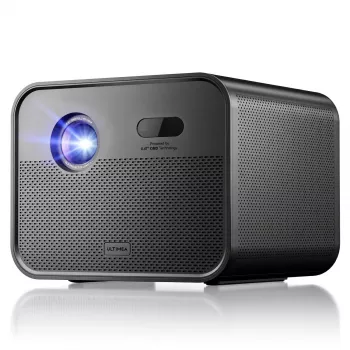
4K Smart Home Theater Projector with Dolby Audio & 1800 ANSI Lumens
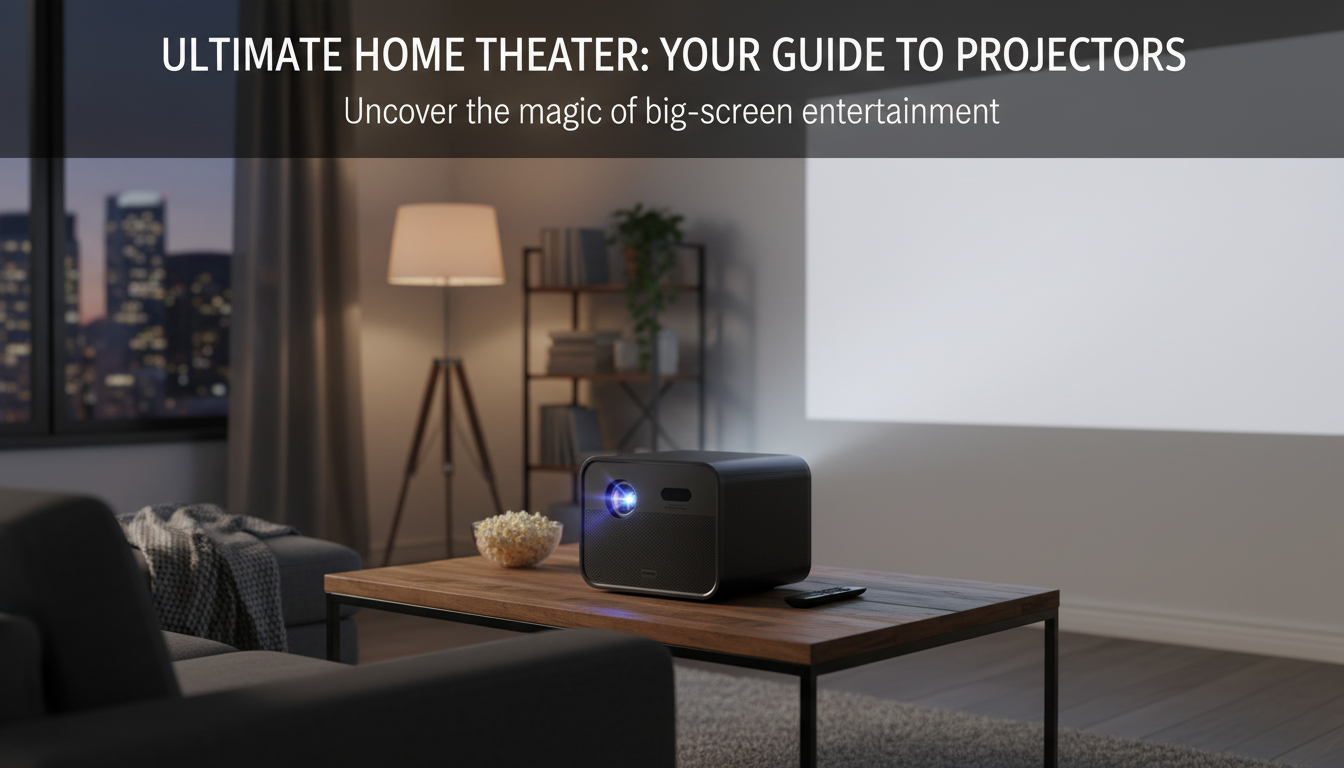
A bright 4K-capable projector with smart streaming and Dolby Audio can turn a living room into a cinema-style setup without complicated gear. This guide explains what an 1800 ANSI lumen rating means in real rooms, how Dolby Audio affects dialogue and impact, and how to dial in picture, sound, and placement for a clean, immersive home-theater experience.
What makes this projector feel “home-theater ready”
Not every projector is built for the mix of brightness, clarity, and convenience that a home-theater setup demands. A 4K-capable model paired with a standardized brightness rating and modern audio processing hits a sweet spot for movie nights and big-game weekends.
- 4K-capable playback brings finer detail to films, sports, and games—especially once screen sizes get large enough that lower resolutions start to look soft.
- 1800 ANSI lumens is a practical level for evening viewing and controlled light, helping maintain image “punch” without requiring a dedicated theater room.
- Dolby Audio support is designed to improve clarity and perceived dynamics compared with basic speaker processing, making dialogue easier to follow.
- Smart features can reduce the need for an external streaming stick for everyday viewing, while still allowing HDMI sources when desired.
Brightness in real rooms: understanding 1800 ANSI lumens
Projector brightness specs can be confusing because not all numbers are measured the same way. ANSI lumens is a standardized method that makes comparisons more reliable than vague “LED lumens” or “lux” claims. If you want a quick explainer on what the measurement represents, Projector Central’s overview is a helpful reference: Projector Brightness (ANSI Lumens) Explainer.
In a darker room, brightness supports larger screen sizes and keeps colors from looking dull. In brighter rooms with lamps or daylight, contrast becomes the limiting factor—so controlling light or adjusting screen choice often matters as much as the lumen rating.
Practical brightness guidance
| Room lighting | Suggested screen size range | Setup tip |
|---|---|---|
| Dark / blackout | 100–150 inches | Use a cinema picture mode; balance brightness for deeper blacks instead of maxing it out. |
| Dim evening lights | 90–120 inches | Use a neutral matte screen; reduce stray light near the screen for better perceived contrast. |
| Moderate ambient light | 70–100 inches | Go smaller or consider an ALR screen; prioritize placement to avoid direct light washing the image. |
Screen choice matters. A neutral matte white screen often delivers the most natural color and wide viewing angles. If the room can’t be darkened, an ambient-light-rejecting (ALR) screen may help preserve contrast, though it typically costs more and can have narrower optimal viewing angles depending on the material.
Dolby Audio: what it changes for movies, sports, and TV
Dolby Audio isn’t a guarantee of “instant surround sound,” but it can meaningfully improve the experience—especially when content is produced or optimized with Dolby processing in mind. Dolby’s overview provides a good sense of the technology goals: Dolby Audio.
- Dialogue intelligibility: voices can sound clearer, which helps reduce the urge to constantly raise volume for speech and lower it for action scenes.
- Dynamic impact: perceived separation between quiet and loud moments can feel more natural, making games and live sports more engaging.
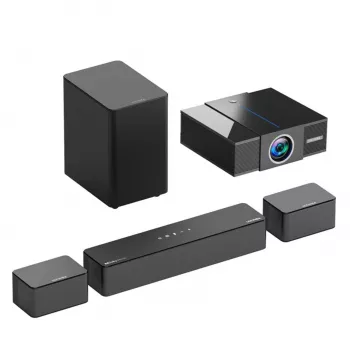
- Room considerations: built-in projector speakers are convenient, but a soundbar or AVR with speakers typically produces a wider soundstage and stronger bass.
- Output planning: if using external audio, confirm your connection path (HDMI ARC/eARC or optical) supports the formats you want and behaves well with volume control.
When pairing with external gear, HDMI features vary by device. For a general reference, the official spec overview is useful: HDMI Specifications Overview.
Picture quality priorities: resolution, HDR, color, and motion
Getting a “big” image is easy. Getting a crisp, cinematic image takes a few targeted choices—especially on a 4K-capable projector where fine detail is part of the appeal.
- Resolution and scaling: 4K detail is most noticeable on larger screens and with closer seating. Make sure focus is uniform and UI text (menus, subtitles) looks clean.
- HDR handling: HDR looks best when tone mapping preserves highlight detail without crushing shadows. In brighter rooms, slightly raising brightness can help keep midtones visible.
- Color tuning: start with a neutral preset, then adjust brightness and contrast so shadow detail and bright highlights remain visible in familiar scenes.
- Motion for sports: motion enhancement can reduce judder, but keep it conservative to avoid the “soap opera” look in movies.
Smart features and connectivity for everyday use
A built-in smart platform can simplify daily streaming and casual viewing without adding another device. For smooth performance, a strong Wi‑Fi connection (or Ethernet, if available) and up-to-date firmware make a noticeable difference.
Setup checklist: placement, focus, and screen alignment
Recommended add-ons for a cleaner theater experience
Shop featured picks
- 4K Smart Home Theater Projector with Dolby Audio & 1800 ANSI Lumens — best for big-screen movie nights, sports, and streaming in rooms where lights can be dimmed for maximum contrast.
- Weatherproof Heated Motorcycle Jacket — a comfort-focused add-on for colder commutes and outdoor evenings.
- Deluxe Cat Climbing Tree & Claw Sharpener — a home upgrade that helps keep pets entertained (and furniture safer).
FAQ
Is 1800 ANSI lumens bright enough for daytime viewing?
It works best with light control. In daylight or strong room lighting, use a smaller screen, consider an ALR screen, and reduce direct light on the screen area to improve contrast and readability.
Does Dolby Audio mean the projector has surround sound?
No. Dolby Audio indicates audio processing/decoding support that can improve clarity and dynamics, but true surround sound typically requires an external soundbar or speaker system.
Should keystone correction be used for quick alignment?
Use placement and leveling first. Keystone can help when needed, but heavy digital correction may soften details, so keep adjustments minimal for the sharpest picture.














Leave a comment