Steam Deck Thumb Grips: Anti-Slip, Height Boost Comfort
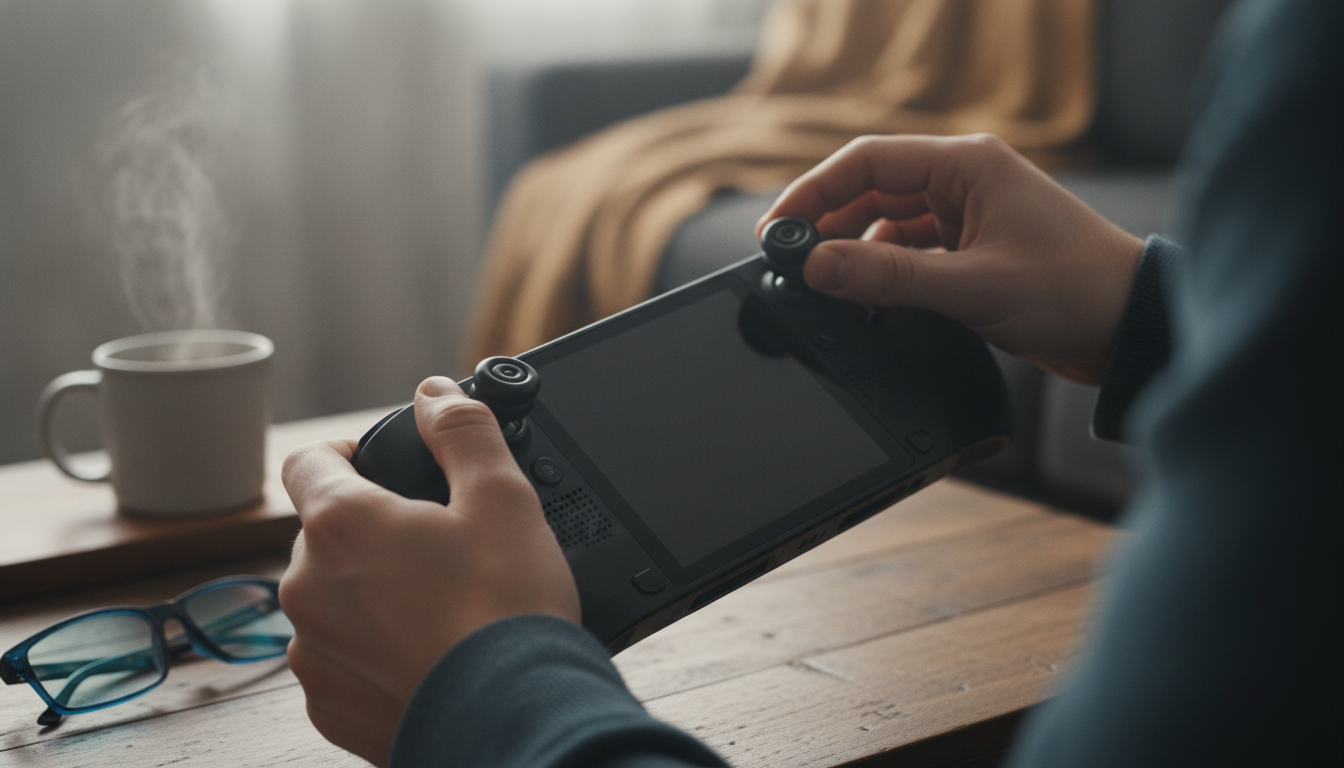
Anti-Slip Thumb Grips for Steam Deck LCD & OLED: A Small Upgrade That Feels Big
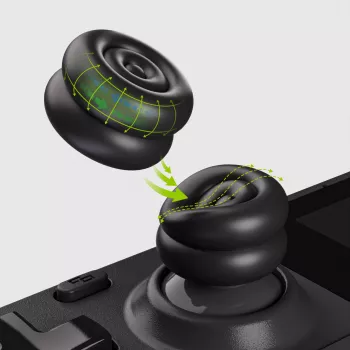
Thumbstick caps can change how the Steam Deck feels in hand—adding grip for sweaty or fast sessions, a touch of extra height for finer aiming, and a cushioned surface that reduces thumb fatigue. These anti-slip, height-boost cushion caps are designed to fit both Steam Deck LCD and OLED models while keeping controls comfortable and consistent across long play sessions. For more guidance, see The switch thumb grip size fits on the steam deck LCD but ….
If the stock stick tops are starting to feel slick, or you find yourself pressing harder to stay accurate, thumb grips are one of the quickest ways to improve control without changing the Steam Deck’s familiar layout. For Steam Deck details and hardware basics, you can also reference the Steam Deck official site and Steam Support.
What These Thumb Grips Change in Real Play
On a handheld PC like the Steam Deck, the right stick feel matters as much as settings. A grip cap doesn’t magically boost performance—but it can remove small annoyances that get in the way of consistency.
- Adds a textured, anti-slip surface that stays controllable during quick movements and longer sessions.
- Slight height boost can improve micro-adjustments for aiming and camera control without changing the controller layout.
- Cushioning reduces pressure on the thumb pad, which can help during extended play or higher-stick-tension games.
- Helps protect the original thumbstick tops from wear, shine, and minor scuffs over time.
The most noticeable difference is usually traction. When the stick top gets even a little slick—whether from skin oils, warm rooms, or long sessions—fine inputs can feel less predictable. A grippier surface encourages a lighter touch, which often translates to smoother control and less strain.
Fit and Compatibility (Steam Deck LCD and OLED)
These caps are intended for Steam Deck thumbsticks. Steam Deck LCD and Steam Deck OLED models use the same general thumbstick style and sizing expectations, so the key is proper seating: once installed, the cap should sit flush and feel stable with no wobble.
- Confirm the caps sit flush and do not wobble once installed.
- Works with Steam Deck LCD and Steam Deck OLED.
- Check clearance around the stick edge: the grip should not rub against the shell during full rotation.
- If a case or thumbstick ring accessory is used, verify the cap does not increase friction at the outer edge.
Quick Compatibility and Use Check
| Check | What to look for | Why it matters |
|---|---|---|
| Seating | Cap fully covers the stick top with no gaps | Prevents slipping or uneven feel |
| Full range motion | No rubbing at the shell edges when pushed to extremes | Avoids input drag and uneven aim |
| Surface feel | Texture feels secure without being abrasive | Comfort during long sessions |
| Height change | Noticeable but not awkward increase in stick height | Better control without overextending the thumb |
Grip Texture and Height Boost: When It Helps Most
Different games “ask” different things from your thumbs. A small height increase can make the biggest impact in titles where the right stick is constantly in motion and accuracy is built on tiny corrections rather than big swings.
- Aiming-heavy games: extra height can give more leverage and smoother tracking.
- Fast action and platformers: anti-slip texture helps keep thumbs planted during rapid directional changes.
- Racing and camera-heavy titles: consistent traction supports gradual, controlled inputs.
- Players with dry or sweaty hands: textured caps can reduce the need to press harder to maintain control.
In practical terms, that means fewer “over-corrections” when lining up a shot or panning a camera, and fewer moments where your thumb drifts to the edge of the stick top mid-fight. Even a modest change can feel more stable because your thumb has a more confident contact point.
Comfort and Fatigue: Cushioning vs. Bare Thumbsticks
Steam Deck sessions tend to run long, and the stock stick surface can develop a “hot spot” feeling over time—especially if you grip tightly or play games that demand constant stick pressure.
- Cushioned tops can reduce the “hot spot” feeling on the thumb during long sessions.
- A slightly wider or softer contact area may feel more stable than the stock stick surface.
- If thumb soreness is a recurring issue, pairing caps with lighter grip pressure can improve comfort.
- If maximum precision is the top priority, ensure the cushioning does not feel spongy; the best feel is secure and responsive.
Installation and Care
Who These Caps Are Best For
Product Options Available
- Anti-Slip Thumb Grips for Steam Deck LCD & OLED – Height-Boost Cushion Caps: a compact upgrade focused on traction, comfort, and a small height increase for control.
FAQ
Do these thumb grips fit both Steam Deck LCD and Steam Deck OLED?
They’re intended for Steam Deck thumbsticks, and both LCD and OLED models use the same general stick style. After installing, check that each cap seats snugly and the stick can move through its full range without rubbing the shell.
Will height-boost thumbstick caps affect aiming accuracy?
A small height increase can improve fine control by adding leverage, which can make micro-adjustments feel smoother. It’s still smart to test in your usual game and confirm the cap doesn’t add drag or feel overly soft for your preferences.
How can slipping or wobble be prevented after installation?
Clean the stick tops first, then press the cap down evenly—center first, then around the edges—so it sits flush. If it loosens later, remove it, clean both surfaces, and reinstall only after the cap is fully dry.














Leave a comment