Vintage 3-Speed Bluetooth Turntable with RCA, USB & AUX
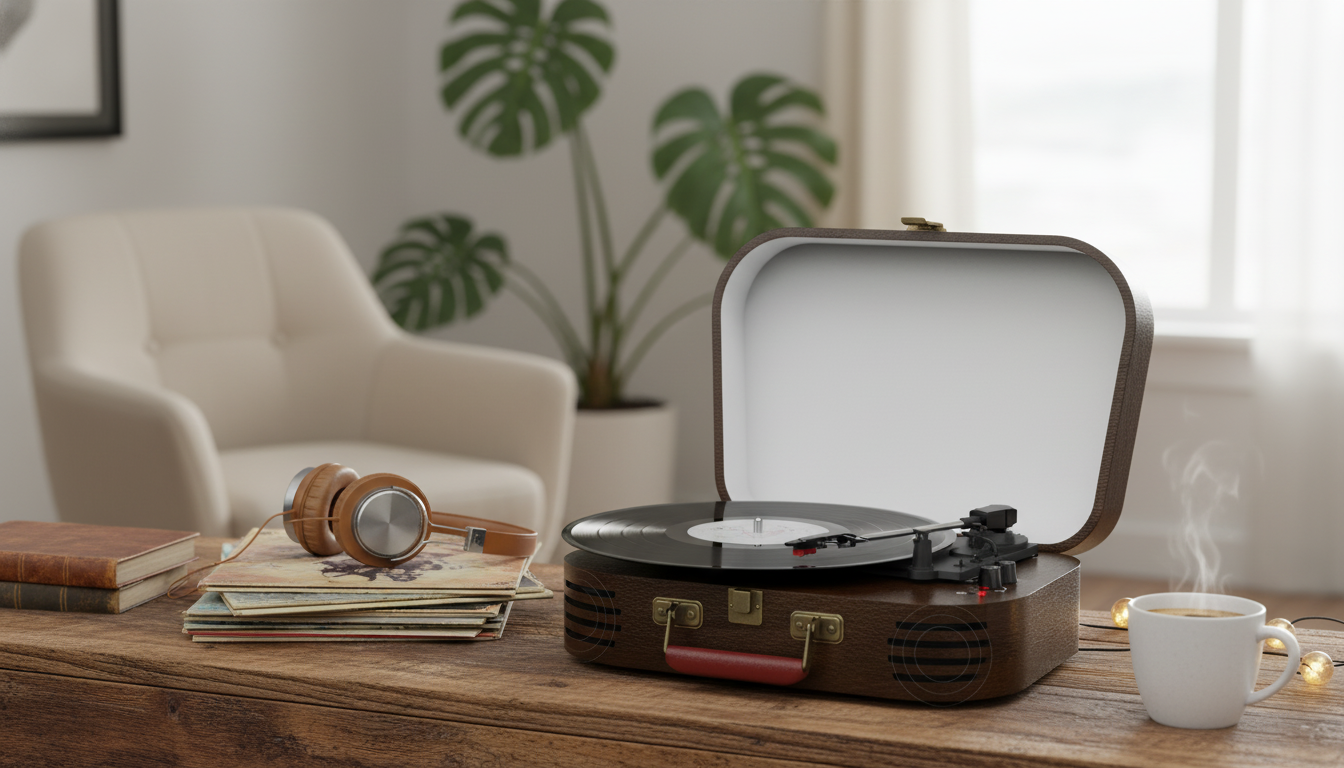
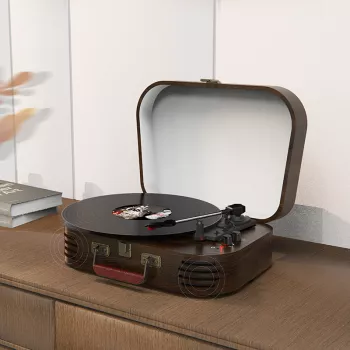
Vintage 3-Speed Record Player with Bluetooth, RCA, USB, AUX-in, and Built-in Speakers
A compact turntable with a classic look can be an easy way to enjoy vinyl without building a full hi-fi stack. The Vintage 3-Speed Record Player with Bluetooth, RCA, USB, AUX-in, and Built-in Speakers keeps the controls simple while adding modern connectivity, so it fits naturally in a living room, dorm, office, or gift setup. Play records through the built-in speakers for a quick start, connect to external speakers for a bigger sound, or use Bluetooth and AUX-in to mix vinyl listening with everyday streaming.
What This Record Player Is Designed to Do
- Play common vinyl sizes and speeds for casual listening at home.
- Offer multiple ways to listen: built-in speakers for convenience, or external speakers via RCA.
- Support modern sources and devices through Bluetooth and AUX-in.
- Enable simple digitizing or computer playback workflows via USB (where supported by the model’s USB function).
Key Features at a Glance
- 3-speed playback: supports 33 1/3, 45, and 78 RPM records.
- Bluetooth capability: for wireless playback with compatible devices (pairing behavior depends on implementation).
- RCA output: connect to powered speakers, a receiver, or an external amplifier input.
- USB connection: for compatible digital workflows (such as recording/transfer on supported systems).
- AUX-in: plug in phones, tablets, or other line-level sources.
- Built-in speakers: quick setup without additional gear.
Connections and What They’re For
| Connection | Use case | Best for |
|---|---|---|
| Bluetooth | Wireless audio playback with a compatible device | Quick streaming without cables |
| RCA (L/R) | Connect to external powered speakers or receiver/amp input | Bigger sound and volume headroom |
| USB | Digital transfer or computer-connected playback where supported | Archiving and desktop setups |
| AUX-in | Plug in a phone/MP3 player/TV device with a 3.5mm cable (as applicable) | Simple wired playback from modern devices |
| Built-in speakers | Standalone listening with no extra equipment | Small rooms and casual listening |
How to Set It Up in 10 Minutes
- Place the player on a stable, level surface away from heavy foot traffic to reduce skips.
- Connect power and verify the platter and tonearm can move freely (remove any transit protection if present).
- Select the correct speed (33/45/78) before starting playback.
- If using external speakers, connect RCA out to powered speakers or a receiver/amp input and start at low volume.
- If using Bluetooth, put the player in pairing mode and select it from the device’s Bluetooth menu.
- For AUX-in, connect the source device and set the source volume to about 70% before fine-tuning.
- Keep the stylus clean and handle records by the edges to reduce noise and wear.
Listening Options: Built-in Speakers vs External Speakers
Built-in speakers are about immediacy: plug in, drop the needle, and you’re listening. For background music in a bedroom, dorm, or home office, they can be the most practical option because there’s nothing else to buy or place on a shelf.
Bluetooth and Wired Inputs: Practical Tips
- Bluetooth is for convenience: it’s great for quick listening, while wired connections usually provide steadier latency and fewer dropouts. For background playlists during work or a get-together, Bluetooth can be the simplest route. For focused listening, RCA is often the most consistent.
- If Bluetooth stutters: shorten the distance, avoid walls, and move away from busy Wi‑Fi routers. A quick overview of how Bluetooth connections behave across devices is available from the Bluetooth SIG.
- For AUX-in: choose a short, shielded cable to minimize hum and interference, and adjust loudness primarily on the speakers/turntable after setting the phone/tablet volume around 70%.
- For RCA output: keep signal cables away from power bricks and adapters, which can add noise if bundled together.
- For USB transfers (where supported): place the computer on the same table to avoid cable strain and accidental tugging during playback.
Care, Maintenance, and Vinyl-Friendly Habits
For more detailed preservation guidance, the Library of Congress recorded sound care recommendations are a helpful reference for handling and storage basics.
Who It Fits Best
What’s Included and What to Consider Adding
Quick Add-Ons for a Better Experience
| Add-on | Why it helps |
|---|---|
| Carbon fiber record brush | Reduces surface dust and static before playback |
| Stylus brush | Helps keep the needle clean for clearer sound |
| Inner sleeves | Protects vinyl from scuffs and paper debris |
| Powered bookshelf speakers | Improves volume, bass, and stereo imaging via RCA |
| Record storage crate | Prevents warping by storing records upright |
Product Snapshot
Shop now: Vintage 3-Speed Record Player with Bluetooth, RCA, USB, AUX-in, and Built-in Speakers
More in-stock finds
- Carbon Fiber–Style Steering Wheel Cover with Honeycomb Anti-Slip Grip
- 80 PSI Portable Bike Pump with Dual Valve & Tool Kit
- Winter Luxury Striped Pet Jumpsuit
FAQ
Does it play 33, 45, and 78 RPM records?
It’s designed for 3-speed playback (33 1/3, 45, and 78 RPM). For 78 RPM records, confirm whether the cartridge/stylus is compatible, since some 78s play best with a stylus made specifically for that format.
Can it connect to external speakers or a home stereo?
Yes—use the RCA output to connect to powered speakers or to a receiver/amp input. Check whether the destination input expects line-level or phono-level audio, as the correct input choice depends on the specific equipment.
What’s the easiest way to reduce skipping and crackle?
Place the player on a stable, level surface, keep records and the stylus clean, and minimize vibration near the turntable. If distortion or repeated skipping persists over time, replacing a worn stylus is often the quickest improvement.












Leave a comment